


Short answer: Repeat maintenance fault reporting software links new complaints and breakdowns to the relevant building, space, asset, symptom, prior work, replaced parts, unresolved recommendations, and preventive plan. The purpose is to show that a problem is recurring before another isolated repair hides the pattern.
A useful report does more than count tickets. It helps an operations team decide whether repeat work comes from an unresolved cause, an incomplete repair, misuse, environmental conditions, the wrong preventive task, ageing equipment, or inconsistent records.
Why repeat faults are difficult to see
Recurring issues are often described differently. One person reports “not cooling,” another reports “warm meeting room,” and a technician records “low airflow.” If location and asset identity are inconsistent, those records may never appear together.
The same problem occurs when teams close every visit as a standalone job. Completion proves that someone attended and performed work; it does not prove that the underlying fault stopped recurring.
Build the report on consistent operational data
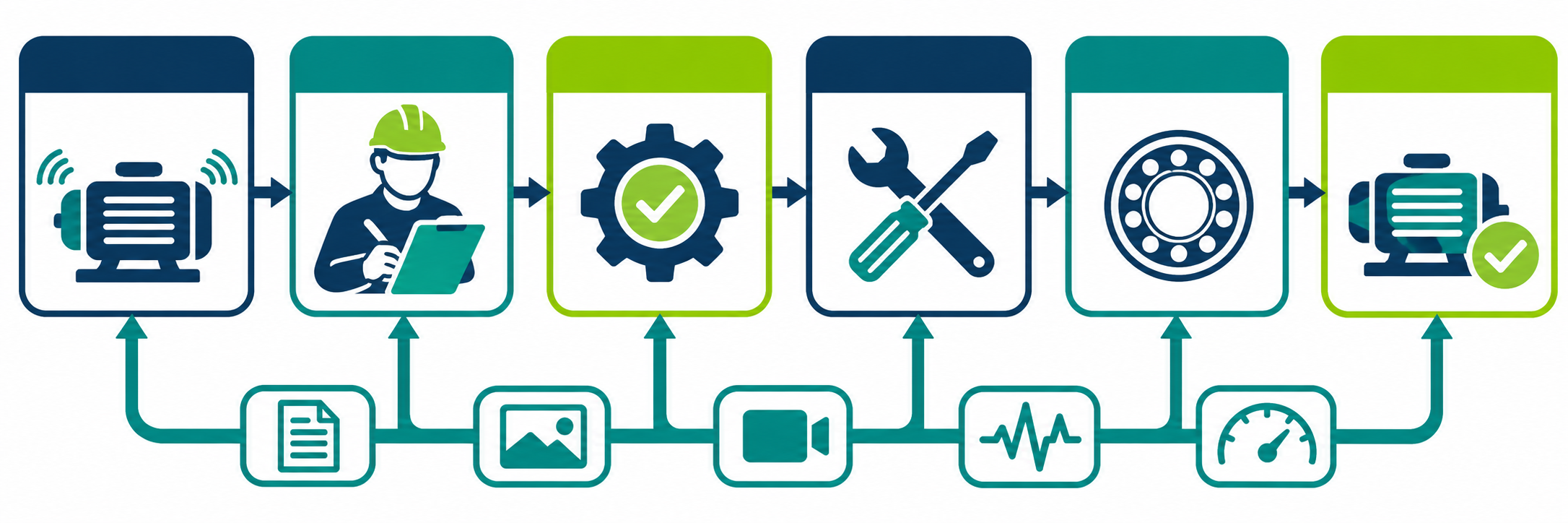
Start with fields that let the team compare like with like:
- Portfolio, site, building, floor, unit, room, or service area.
- Asset ID, type, make, model, and criticality where maintained.
- Fault category, symptom, observed condition, and cause where confirmed.
- Date reported, date attended, work performed, parts used, and result.
- Technician, internal team, or vendor.
- Photos, readings, checklist results, and completion notes.
- Unresolved recommendation, temporary action, or monitoring instruction.
- Related preventive task, inspection, quotation, and approval.
Do not force a technician to claim a root cause when it is not known. Keep symptom, diagnosis, and confirmed cause as separate fields.
Link reports to work and asset history
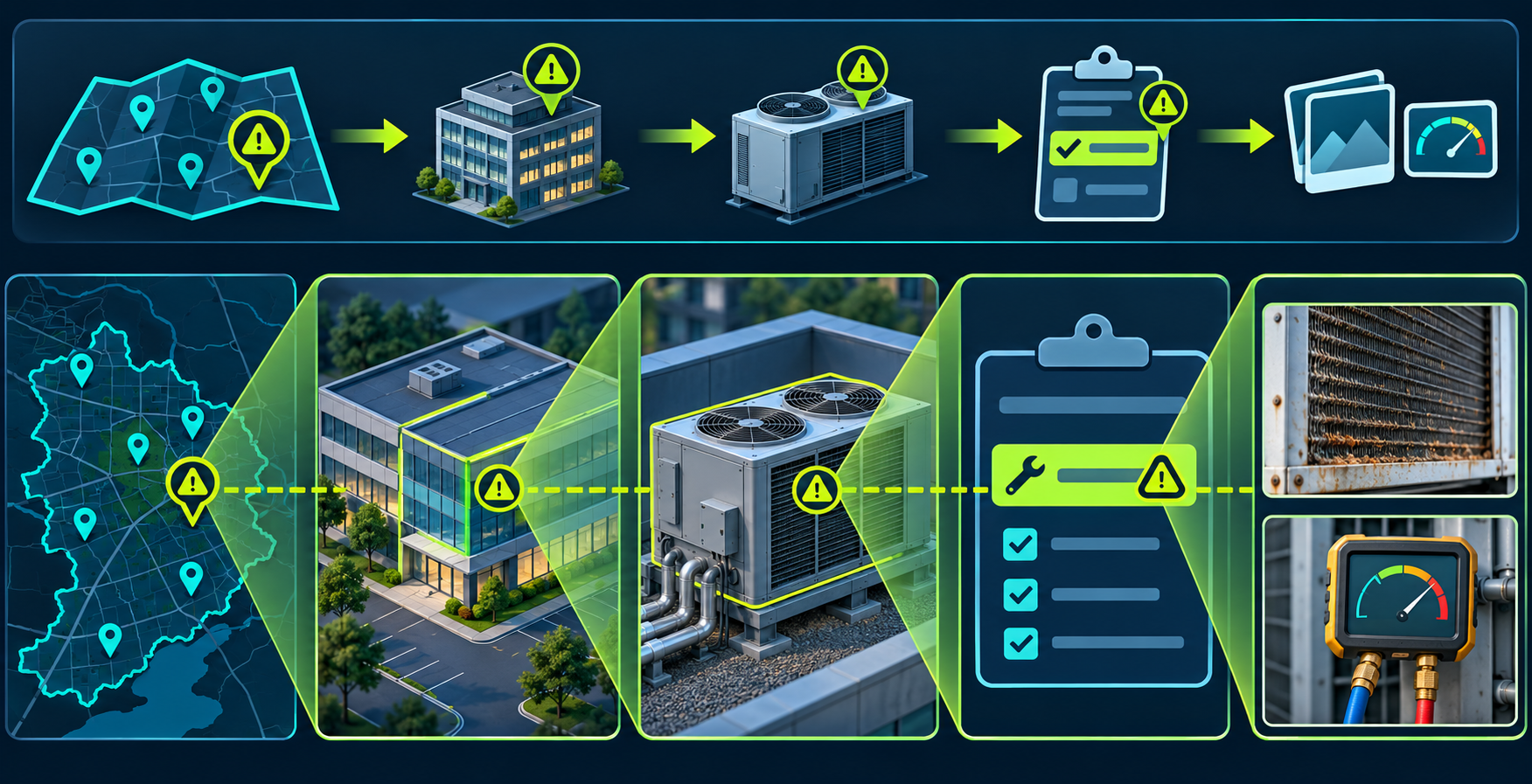
The report should let a manager move from a recurring pattern to the original work orders and evidence. That drill-down matters because similar counts can represent very different situations: repeat attendance for the same unresolved fault, several components failing independently, or routine work recorded under an overly broad category.
The U.S. Department of Energy’s maintenance-history guidance describes maintenance and performance records as inputs for planning, trend analysis, problem analysis, and management decisions. Although written for a specific operating context, the recordkeeping principle is broadly useful: history becomes actionable when equipment identity and completed work remain retrievable.
A practical repeat-fault workflow
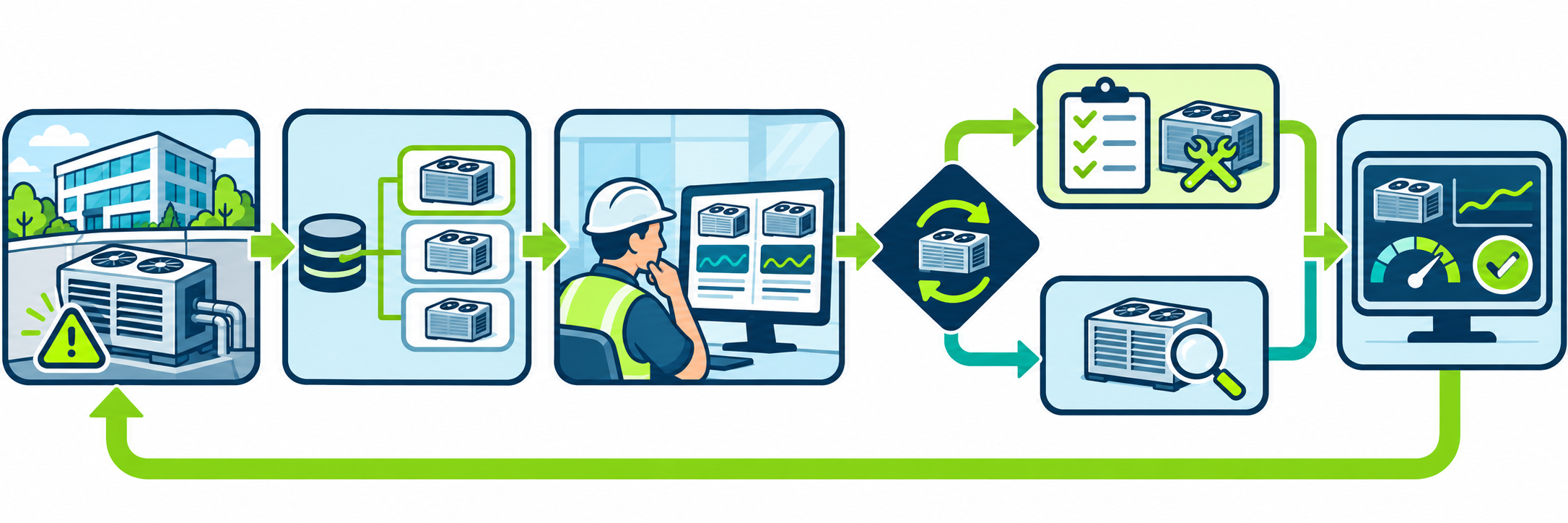
- Capture the new issue. Preserve the request, location, asset, symptom, and evidence.
- Check for related history. Surface prior work for the same asset or location and similar symptoms.
- Flag a possible repeat. Let a coordinator or supervisor confirm the relationship rather than relying only on automated matching.
- Review previous actions. Compare diagnosis, parts, readings, temporary repairs, recommendations, and closure proof.
- Choose the next response. Assign deeper diagnosis, specialist review, corrective work, replacement evaluation, or a preventive-plan change.
- Track the follow-up. Keep the new action linked to the pattern and its decision owner.
- Monitor recurrence. Review whether the same symptom returns after the intervention.
Useful ways to segment the report
Review repeat faults by asset, site, room or unit, fault category, symptom, vendor, technician, part, and preventive programme. Add operational context such as open recommendation, temporary repair, approval delay, or missing closure evidence.
For aircond and HVAC operations, connect fault patterns to the service record and the existing guide to aircond service-report software. For broader portfolios, link the pattern to preventive maintenance and facility reporting.
Do not turn recurrence into a blame table
A vendor or technician comparison can help identify training, parts, scope, or quality issues, but raw counts lack context. A team handling older, more critical, or more complex assets may naturally see more faults. Review evidence and operating conditions before drawing conclusions.
Likewise, asset lifecycle decisions should balance performance, risk, and expenditure. ISO 55001:2024 provides requirements for an asset management system and is a useful reference for systematic lifecycle thinking; this article does not claim that a software report by itself satisfies the standard.
Questions to ask when choosing repeat-fault reporting software
- Can it keep asset, site, space, symptom, diagnosis, and cause distinct?
- Can users link related requests and work orders without deleting the original records?
- Can managers inspect the evidence behind a trend?
- Can unresolved recommendations and temporary repairs remain visible?
- Can a pattern create corrective or preventive follow-up with an owner?
- Can reports be filtered by property, asset, service, vendor, and time period?
- Can sensitive tenant or customer conversations remain access-controlled?
Start with one fault family
Select a recurring operational problem, such as aircond water leakage, pump trips, lighting failures, or repeated cleaning defects. Standardise the asset and symptom labels, link the last set of work records, and agree what action a confirmed recurrence should trigger.
Explore NinjaSuites asset management to connect maintenance history with current work. You can also review NinjaSuites plans.