


Short answer: maintenance escalation workflow software should help property and facility teams detect stuck work early, apply clear priority rules, and move incidents to the right supervisor, vendor, or client approver before service levels slip. If escalations still depend on someone noticing an angry follow-up email, the process is reacting too late.
That matters because most escalation problems are not caused by a lack of effort. They are usually caused by weak visibility. A job sits in review, a vendor has not acknowledged attendance, a site manager has not approved access, or a repeat complaint arrives before the first work order was actually closed properly. Without a structured escalation path, teams lose time deciding what to do next.
What good maintenance escalation workflow software should do
- surface overdue and at-risk jobs before they become customer escalations
- apply escalation rules by priority, site type, issue category, or SLA target
- show who owns the next action right now
- keep approval, vendor, and technician updates in one record
- preserve an audit trail for response, reassignment, and closure decisions
In practice, escalation control works best when it connects to request intake, work order management, SLA tracking, and operational reporting.
Where maintenance escalations usually break down
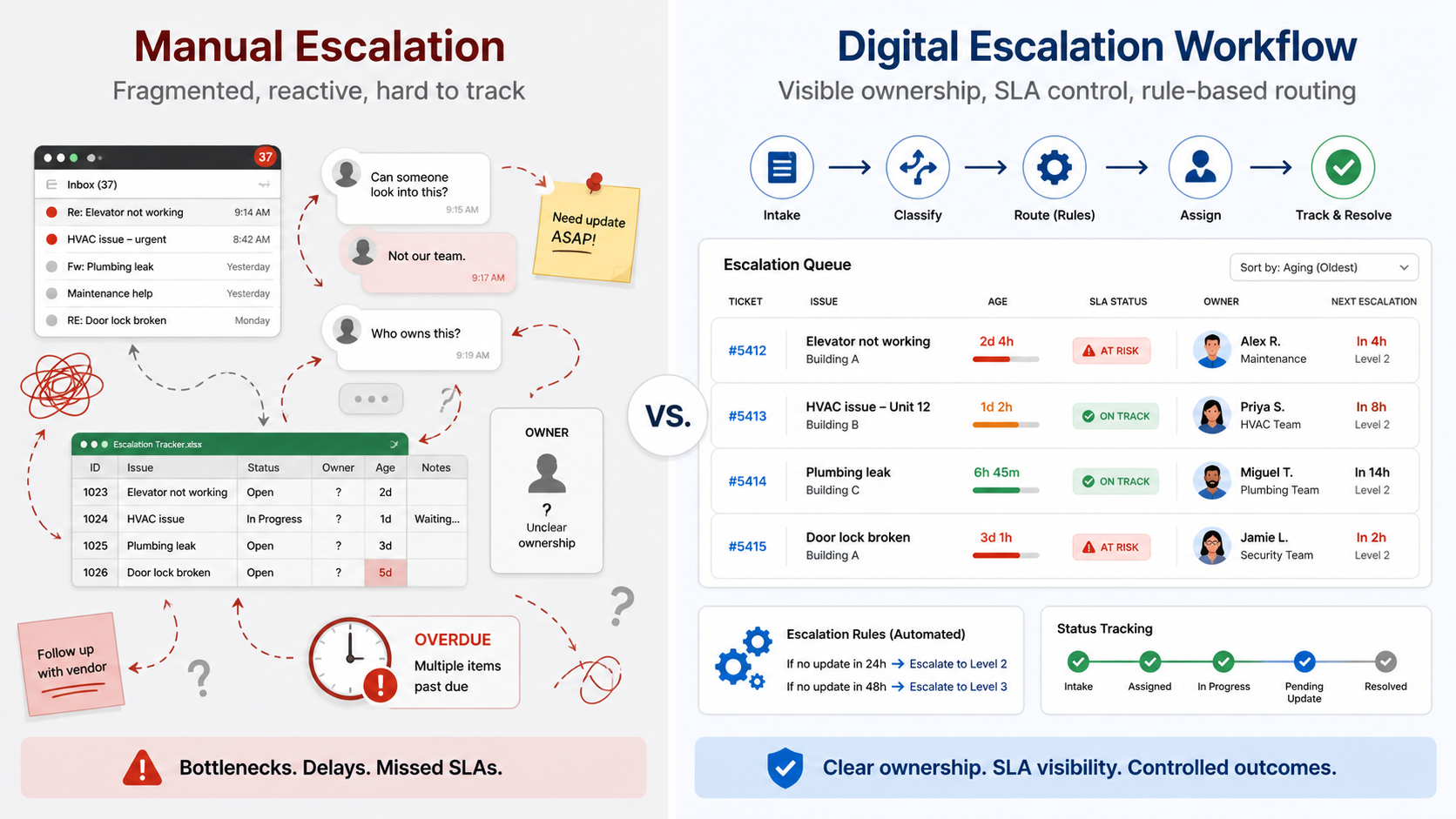
1. Teams notice delays too late
Operators often discover a problem only after a tenant, building manager, or client representative asks for an update. By then, the issue is already an escalation. Good workflow software highlights aging work before that happens.
2. Ownership is unclear
Some jobs are blocked because nobody knows whether the next action belongs to the supervisor, vendor, technician, procurement team, or client approver. A strong workflow makes the current owner visible instead of leaving the team to chase updates manually.
3. Priority rules are inconsistent
If one urgent leak gets fast-tracked while another sits in a general queue, the workflow is too dependent on memory and habit. Escalation logic should reflect response commitments, site criticality, and risk.
4. Approvals and service updates are fragmented
When access approvals, vendor acknowledgements, completion photos, and supervisor notes live across chat threads and inboxes, teams lose the timeline that matters during disputes.
A practical escalation framework for service operations
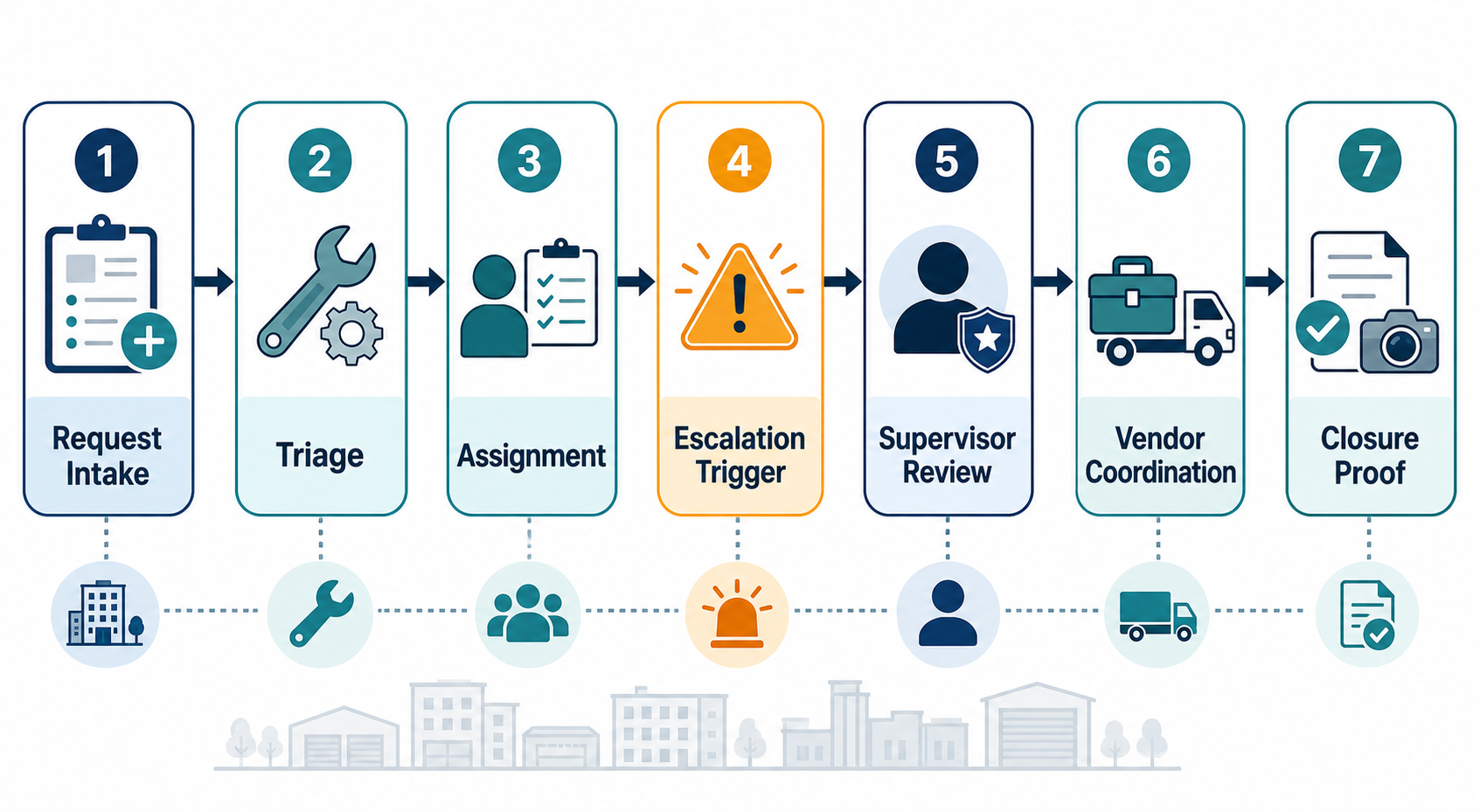
- Standardize intake. Start with complete request details, issue category, site, unit, contact, and urgency so the first triage decision is stronger.
- Define escalation triggers. Use overdue response time, no acknowledgement, blocked access, repeat failure, or unresolved safety risk as explicit triggers.
- Assign the next owner clearly. Every escalated job should show one current accountable owner, even if several parties are involved.
- Separate blockers from inactivity. Teams need to know whether a job is waiting on parts, quotation approval, site access, or technician attendance.
- Verify closure. Escalated work should not disappear from view until proof of completion and, when needed, supervisor confirmation are in place.
This is especially important for multi-site teams in facility and property management, where work can move across internal teams, external vendors, and client-side approvers very quickly.
What buyers should check before choosing escalation software
- Can the system trigger escalation based on actual workflow conditions, not just manual tagging?
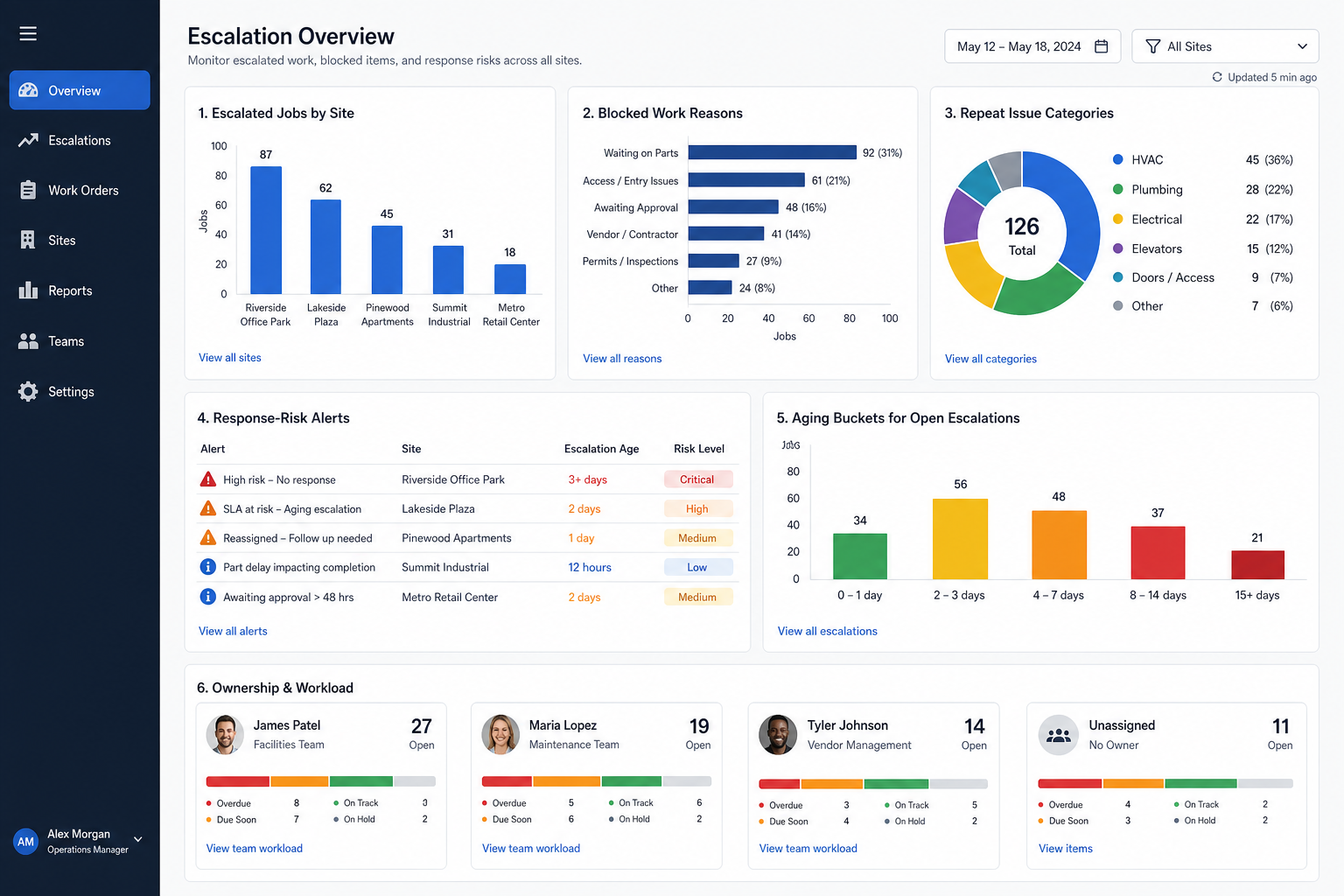
- Can supervisors see aging jobs, blocked work, and repeat escalations by site or vendor?
- Does it connect escalation status back to the original request and work order?
- Can teams report on response risk and closure quality across a whole portfolio?
- Will the workflow still be usable for field teams and vendors, not just head office staff?
IBM’s overview of service-level agreements is a useful reminder that response commitments only matter when teams can monitor them consistently. The U.S. Department of Energy’s Better Buildings resources on operations and maintenance also reinforce the value of structured maintenance processes and documented follow-through.
Where NinjaSuites fits
NinjaSuites is a strong fit for teams that want escalation control connected to the rest of service operations rather than managed as a separate reporting exercise. When request capture, job assignment, work execution, SLA monitoring, and reporting sit in the same operational flow, supervisors can intervene sooner and clients get clearer answers.
The goal is not to create more escalation admin. The goal is to reduce preventable escalation by making workflow risk visible earlier.
Next step
If your team is still chasing urgent jobs through inboxes, chat groups, and manual updates, book a NinjaSuites demo to see how a connected escalation workflow can surface stuck work faster. If you want to evaluate the execution side first, review NinjaSuites work order management workflows.