


Short answer: aircond service report software should help maintenance teams capture diagnosis, work performed, parts used, photos, and next-step recommendations in one structured record before the job is closed. If technicians still send aircond job updates through WhatsApp photos, handwritten notes, and separate PDFs, the reporting process will stay slow and inconsistent.
That matters because aircond service work is rarely just about attendance. Clients want evidence of what was checked, what was found, what was fixed, and what still needs approval or follow-up. Operations teams also need that record when recurring faults return, warranty questions come up, or another technician attends the same unit later.
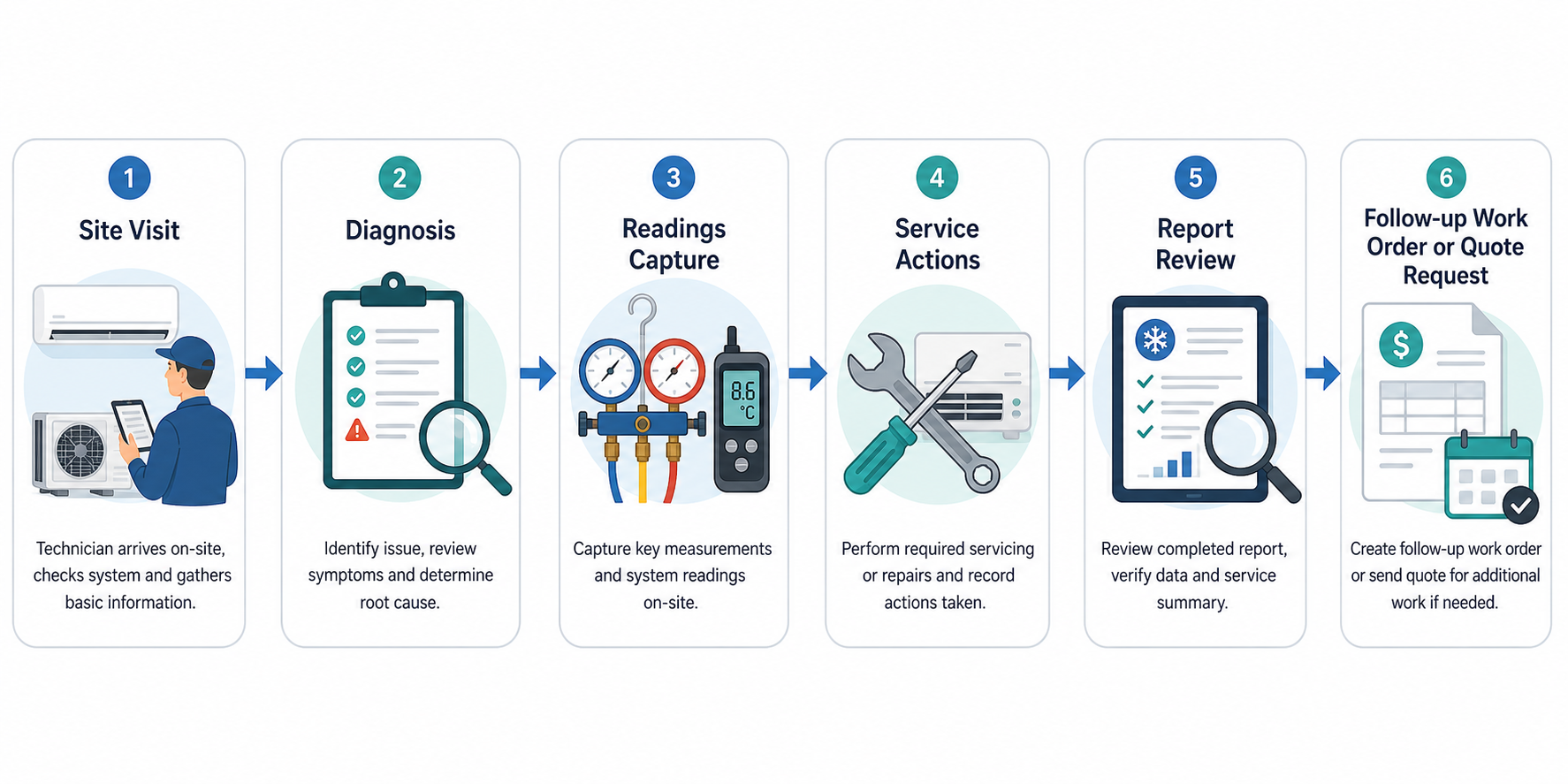
What good aircond service report software should do
- capture unit details, site location, fault symptoms, and service actions in a consistent format
- attach photos, readings, recommendations, and customer sign-off in one record
- connect field reporting to asset history and future work orders
- separate completed work from recommended follow-up clearly
- make reports easy for supervisors and clients to review without rewriting technician notes
This workflow becomes more valuable when it connects to aircond maintenance operations, asset history, work order execution, and service reporting and analysis.
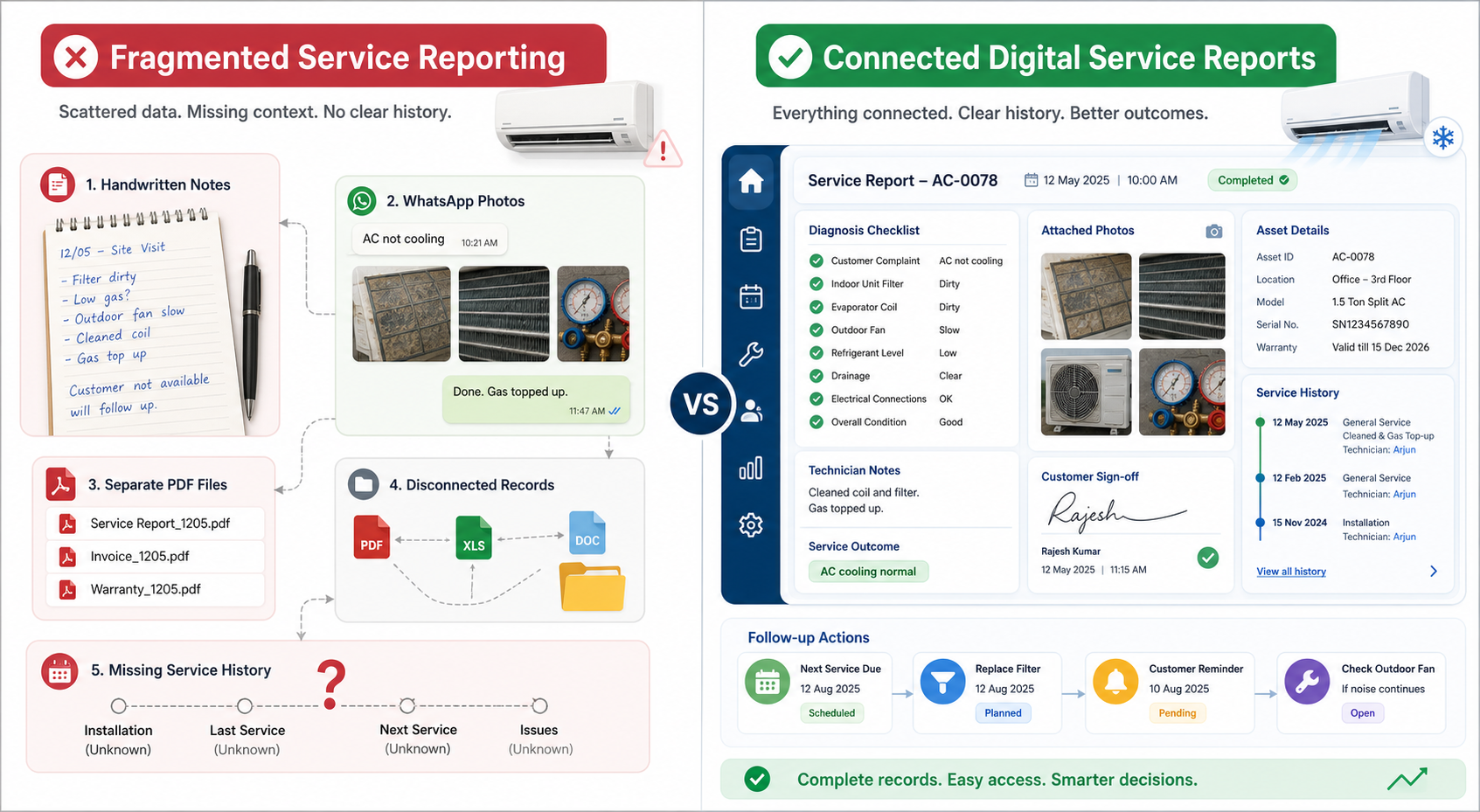
Why aircond service reporting often fails in practice
1. Reports are written after the technician has left
When reporting happens later in the office, details get missed. Meter readings, exact symptoms, access issues, and customer comments are easiest to capture while the technician is still on site.
2. Free-text notes are hard to compare
If every technician describes the same fault differently, supervisors cannot review report quality quickly and future technicians struggle to understand history.
3. Findings and follow-up work are mixed together
Clients need a clear distinction between what was completed during the visit and what still requires approval, parts, or a return trip.
4. Service history is hard to retrieve
Recurring aircond issues are common. Without a connected service history, teams waste time reconstructing what happened at the previous visit.
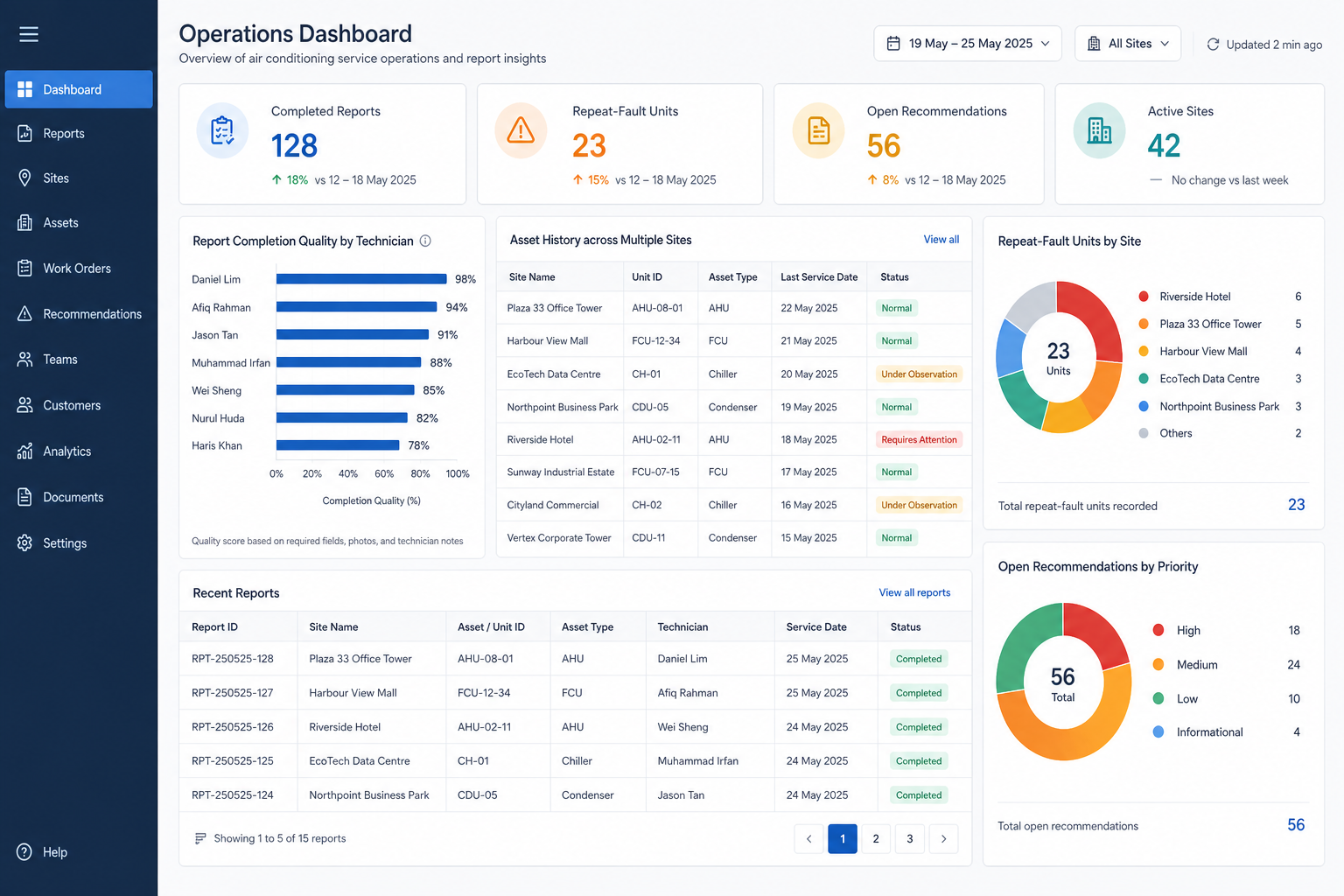
A practical structure for better aircond service reports
- Job context. Record site, asset, unit identifier, attendance time, and technician name.
- Observed condition. Capture symptoms, inspection points, readings, and visual evidence.
- Work performed. State exactly what maintenance or repair action was completed during the visit.
- Parts and materials. Log what was used and what is still needed.
- Recommended next action. Make it clear whether the next step is monitoring, quotation, approval, return visit, or preventive schedule adjustment.
- Customer acknowledgement. Close the loop with sign-off or documented handover notes.
The U.S. Department of Energy guidance on maintaining your air conditioner reinforces why maintenance quality depends on complete inspection and service detail, not just attendance. Better Buildings resources on operations and maintenance also support the value of consistent documentation and repeatable workflows for equipment performance.
What buyers should ask for in aircond reporting software
- Can technicians complete reports on site from a phone or tablet?
- Can the workflow attach photos, readings, and recommendations without extra admin?
- Does the report connect to asset history so repeat faults are visible?
- Can supervisors review report completeness and unresolved recommendations easily?
- Can the system turn a finding into follow-up work without copying details into another tool?
Where NinjaSuites fits
NinjaSuites is relevant for contractors and multi-site operators that want aircond reporting tied to the broader service workflow. Instead of generating isolated PDFs, teams can connect field proof with job execution, preventive planning, and asset history. That creates a better record for supervisors and a better explanation for clients.
It also helps commercial teams respond faster when a client asks the most common question after a service visit: what exactly happened, and what should we do next?
Next step
If your aircond reporting still depends on delayed write-ups and scattered attachments, book a NinjaSuites demo to see how structured service records can improve follow-up and client visibility. You can also review NinjaSuites aircond maintenance workflows for a workflow-specific view.