


Short answer: facility asset management software helps maintenance teams keep a clean asset register, connect every job to the right equipment, plan preventive work, and make better repair-or-replace decisions. The right system gives supervisors one place to see asset condition, service history, downtime, parts usage, and upcoming maintenance instead of stitching that information together from spreadsheets and inboxes.
For buyers, that means looking beyond simple inventory lists. Good software should actively support day-to-day maintenance execution and long-term asset planning.
What maintenance teams actually need from asset management software
A useful platform should answer four practical questions quickly:
- What assets do we own, where are they, and who is responsible for them?
- What work has been done on each asset and what keeps failing?
- Which PM tasks are due next?
- Which assets are consuming too much labor, downtime, or contractor spend?
That is why asset management works best when it is connected to work order management, preventive maintenance, and reporting instead of sitting in a static register.
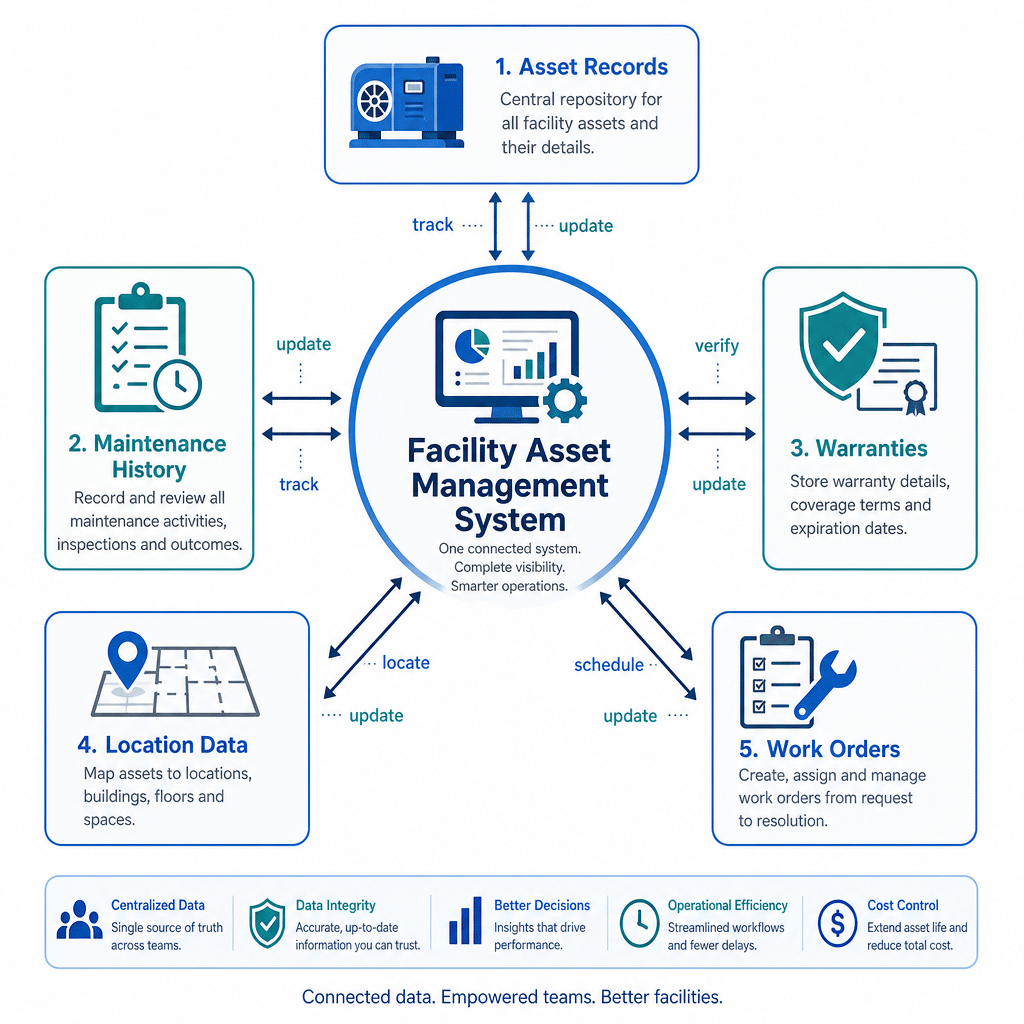
Core capabilities to look for
1) A structured asset register
Every asset should have a clear record with location, category, model, serial number, vendor details, warranty data, and operating context. If you run multi-site operations, hierarchy matters because teams need to roll records up by building, floor, room, or store.
2) Full maintenance history per asset
Buyers should expect each work order, inspection, note, photo, and cost entry to be linked back to the asset. Without that history, teams cannot spot patterns or justify replacement decisions.
3) Preventive maintenance scheduling
Asset software should support recurring service plans by calendar, usage, or condition trigger. This helps maintenance teams move from reactive repairs to proactive planning.
4) Inspection and condition tracking
If inspections happen in the field, the software should capture findings on mobile and convert them into corrective work quickly. That shortens the gap between noticing a problem and assigning action.
5) Downtime, reliability, and cost visibility
Maintenance leaders need more than asset counts. They need to see which assets are unavailable too often, take too long to repair, or consume disproportionate labor and parts.
6) Vendor, parts, and warranty context
Technicians and supervisors should be able to reference approved vendors, replacement parts, manuals, and warranty details without leaving the platform.
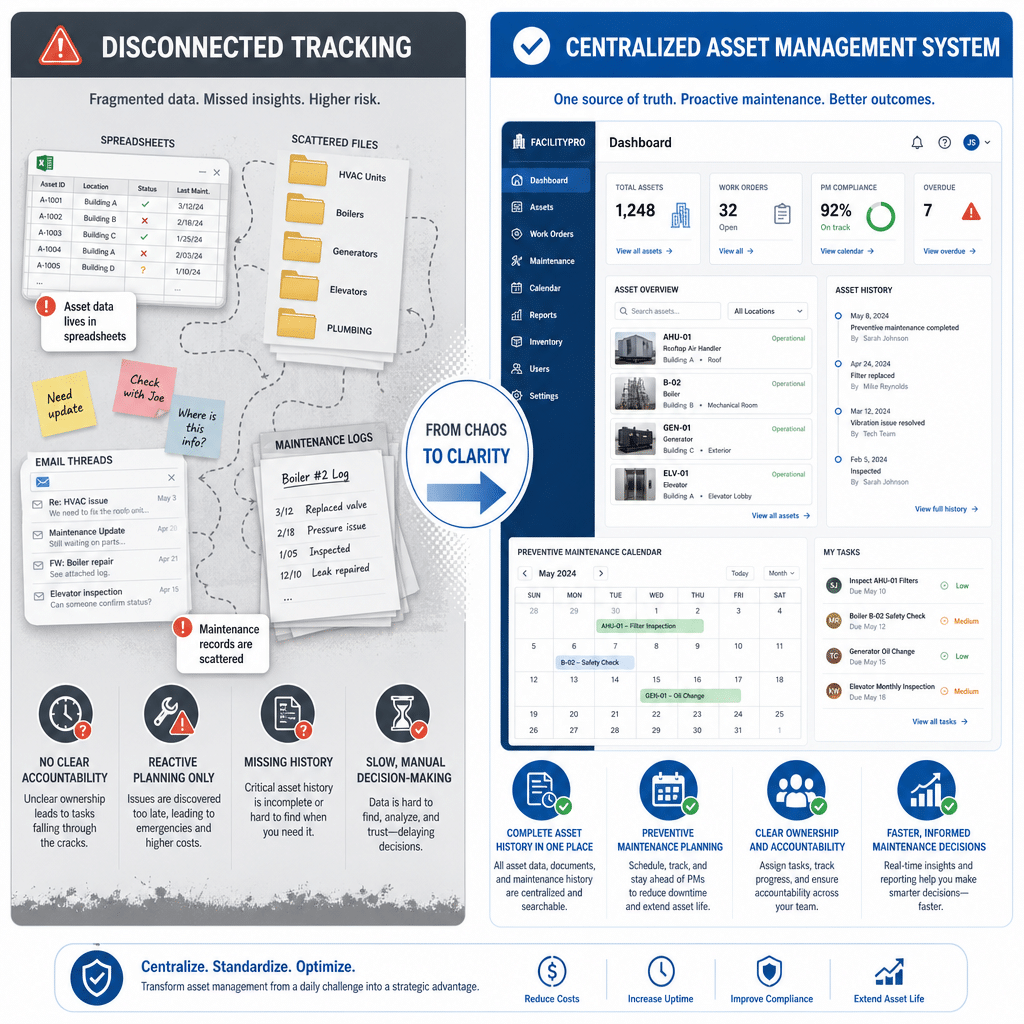
Questions to ask before you buy
- Can technicians update asset-linked jobs from mobile devices while on site?
- Can inspection findings automatically create work orders?
- Can managers report by asset, site, and asset class without exporting to spreadsheets?
- Can you see asset history and PM status in the same workflow?
- Will the system still work as you add locations, contractors, and asset types?
If the answer to most of those is no, you are probably looking at asset inventory software rather than maintenance-ready asset management software.
Where NinjaSuites fits maintenance teams
NinjaSuites is designed for service operations teams that need asset visibility tied to real work. Its asset management module supports centralized tracking, while related workflows for inspection and work orders, job execution, and BI dashboards help teams manage performance across sites.
For organizations focused on uptime, the biggest advantage is operational continuity: the same platform can hold asset records, PM schedules, field proof, and performance reporting. That reduces duplicate data entry and gives supervisors clearer accountability.
Teams managing contractor-heavy or distributed operations may also benefit from NinjaSuites’ field service and maintenance workflows and its maintenance savings calculator when building an ROI case.
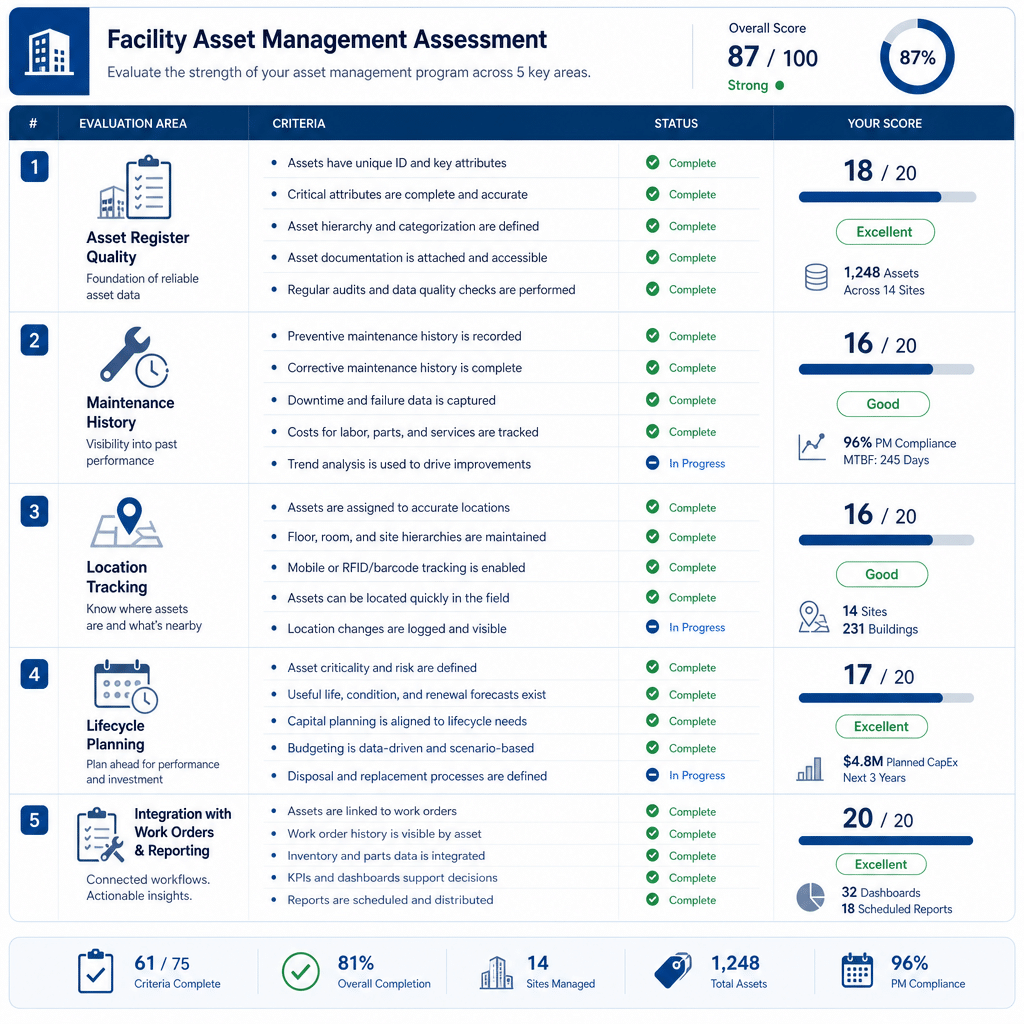
Bottom line
The best facility asset management software does not just list equipment. It helps maintenance teams standardize records, schedule proactive work, capture field evidence, and decide where budget and attention should go next.
If you want asset management tied directly to maintenance execution, book a demo or explore NinjaSuites pricing to evaluate fit for your sites and service model.
FAQ
What is facility asset management software used for?
It is used to maintain a structured record of physical assets and connect those assets to work orders, inspections, preventive maintenance, downtime history, and cost tracking.
Is asset management software the same as CMMS software?
Not always. Some tools focus mainly on asset inventory, while maintenance teams usually need a connected system that also handles work orders, PM scheduling, inspections, and reporting.
What should maintenance teams prioritize during evaluation?
Prioritize asset-linked history, PM scheduling, mobile updates, inspection follow-through, and reporting by site and asset class. Those capabilities have the biggest effect on daily maintenance execution.