


Building inspection checklist software helps facility teams standardize inspections, capture evidence in the field, and turn issues into trackable work orders before they become missed compliance items or repeat failures. For most operators, the right system is not just a digital form builder; it is a workflow that connects inspections, corrective action, asset history, scheduling, and reporting in one place.
Facility leaders often start with spreadsheets, PDFs, and messaging apps because they are familiar. The problem is that these tools rarely preserve a clean chain from inspection finding to assigned repair, completion proof, and management reporting. As inspection volume grows across sites, that gap creates delays, duplicate follow-up, and weak audit trails.
That is why buyer-intent teams usually evaluate building inspection checklist software as part of a broader service operations stack. If your team needs one system for inspections, maintenance follow-through, and site visibility, NinjaSuites for Facilities & Property Management and its inspection and work order capabilities are built around that operating model.
What good building inspection checklist software should do
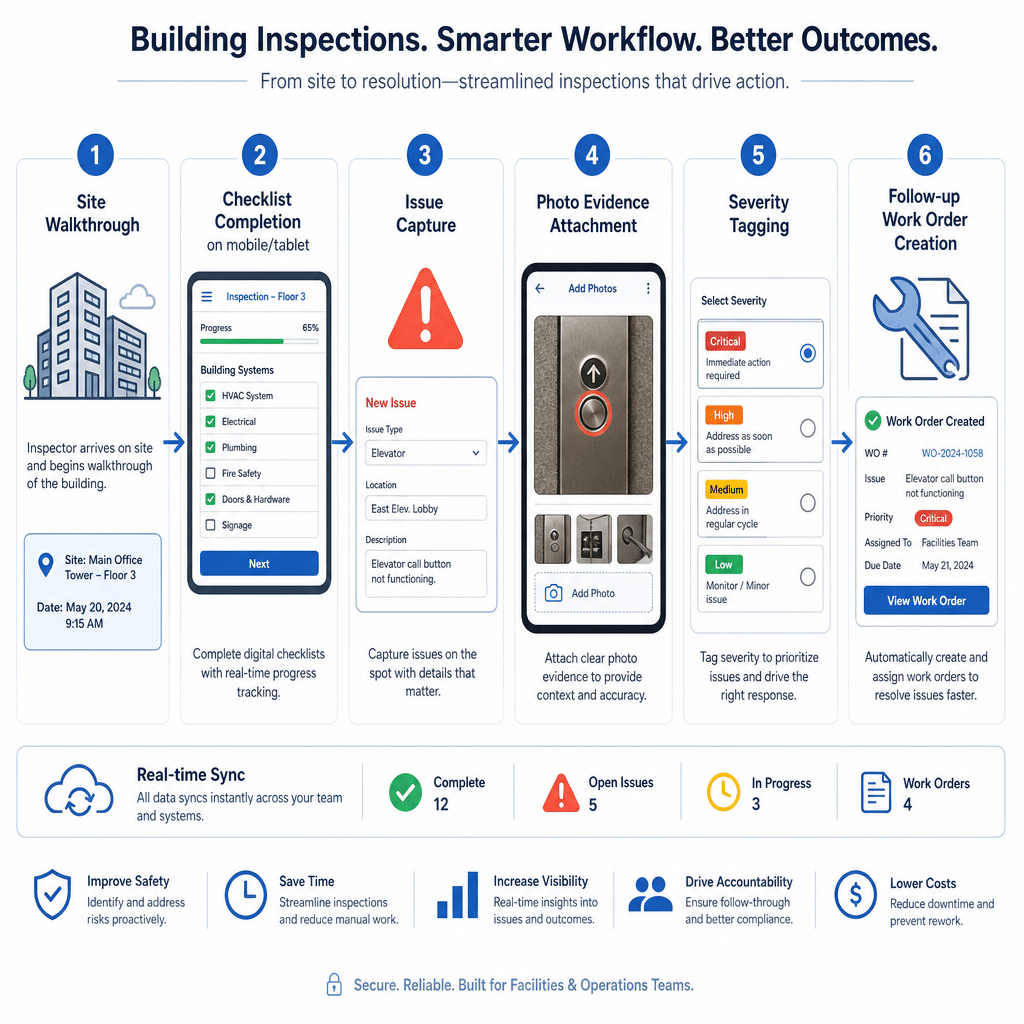
The baseline requirement is simple: your team should be able to complete repeatable inspections on mobile, capture notes and photos, and flag issues consistently. But facility teams typically need more than that.
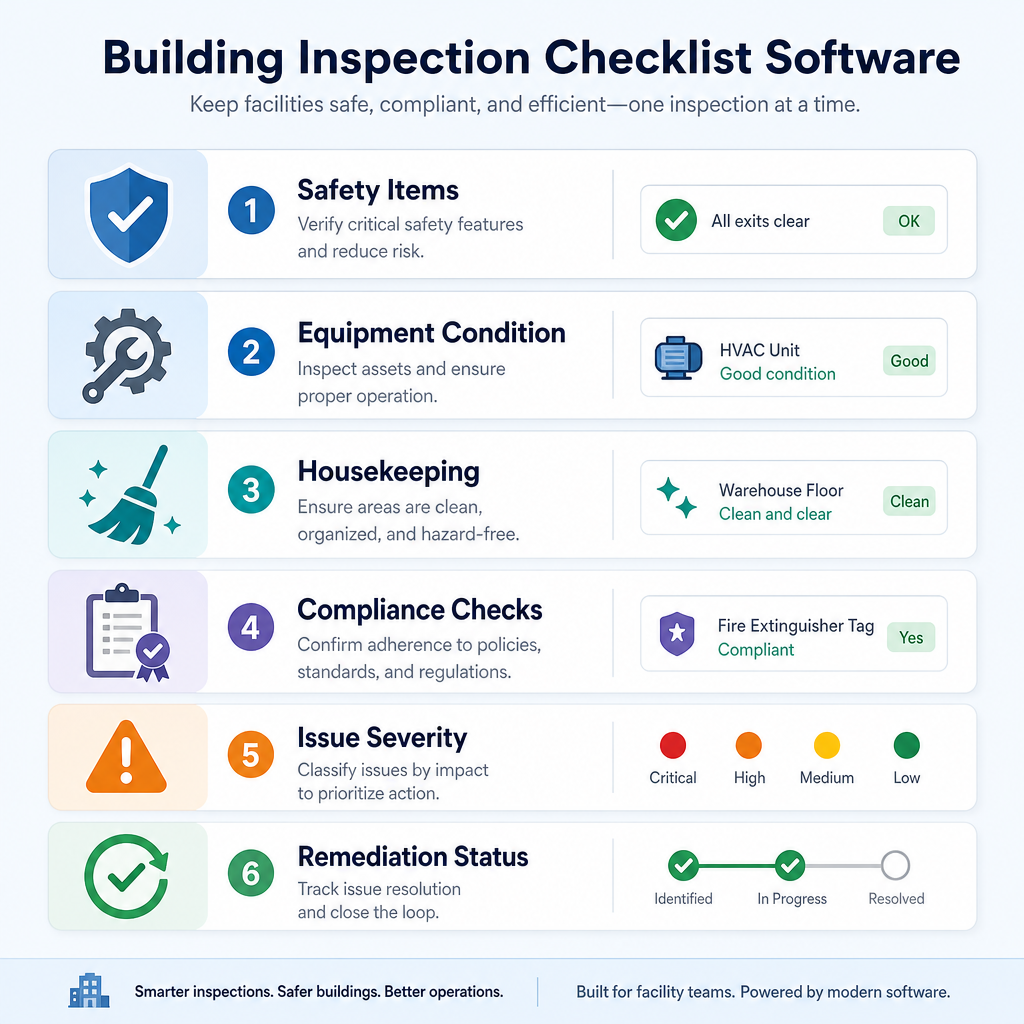
- Standardize checklists by building, zone, system, or asset type.
- Trigger corrective work immediately when an inspection item fails.
- Attach photo or video evidence so managers can review findings without extra back-and-forth.
- Track completion status from finding to repair.
- Maintain history by asset or location so repeat problems are visible.
- Report on trends across sites, vendors, and teams.
NinjaSuites publicly highlights that its inspection workflow can capture inspections, generate reports, and turn findings into action in one platform, including photo and video documentation for clearer reporting. That matters because a checklist without follow-through is only partial software value.
Why facility teams move away from paper and disconnected tools
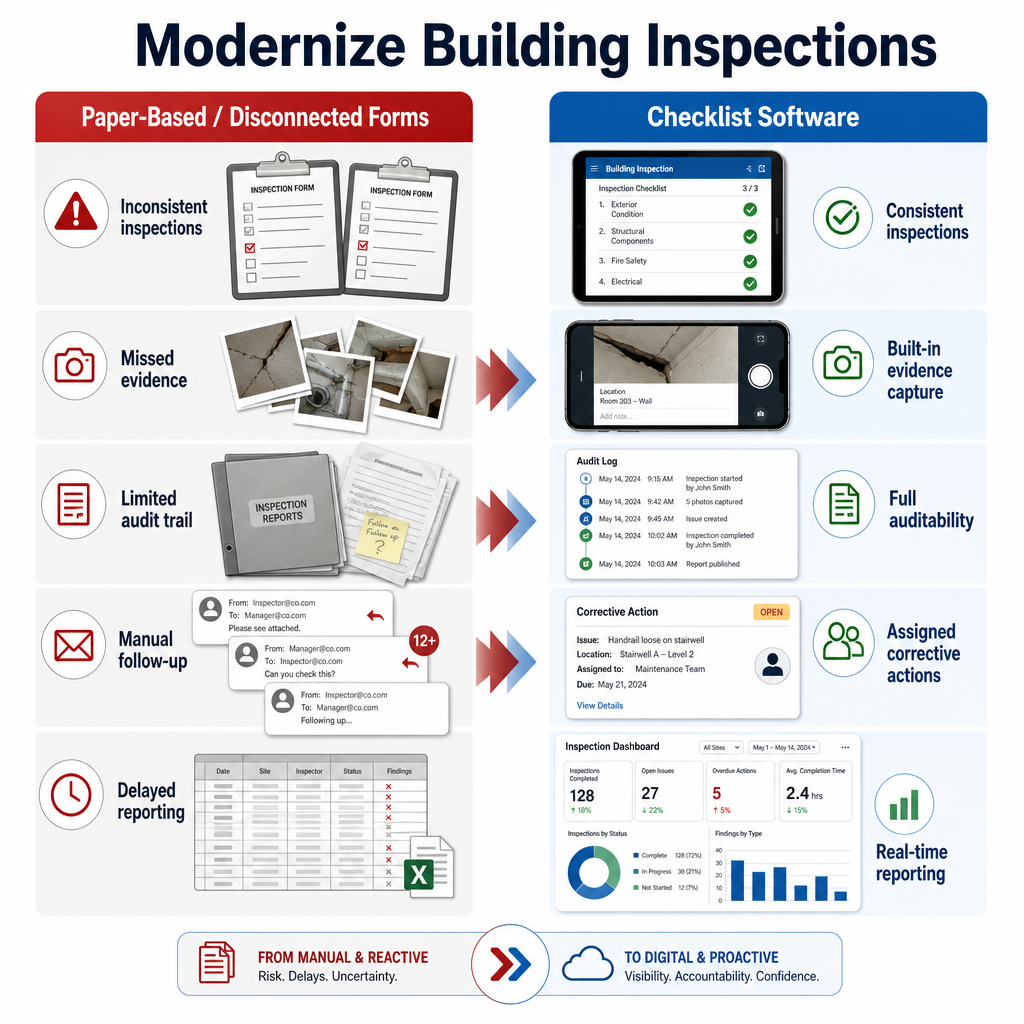
Paper checklists and static PDFs can still work for very small operations, but they become fragile once you need accountability across multiple buildings or technicians. Common breakdowns include:
- Different inspectors using different checklist versions.
- Issues getting logged but not assigned.
- Missing proof that work was completed.
- No easy way to compare recurring issues across properties.
- Slow management reporting at month-end.
For regulated or safety-sensitive environments, that inconsistency can create real exposure. OSHA’s walking-working surfaces standard states that employers must ensure places of employment and service rooms are kept in a clean, orderly, and sanitary condition. In practice, facility teams need inspection routines that are documented, repeatable, and easy to verify. The EPA’s guidance for school facilities also points to routine moisture inspections and regular HVAC inspection and maintenance as part of healthy-building management.
Buying criteria that matter more than a long feature list
When comparing vendors, facility teams should prioritize the workflow around the checklist, not just the checklist itself.
1. Checklist flexibility without admin chaos
You need templates that can adapt to building walkthroughs, safety checks, equipment inspections, handover inspections, and vendor audits. The best platforms let operations teams reuse a common structure while tailoring forms for each site or asset class.
2. Corrective action tied to work orders
If a failed inspection still requires someone to retype the issue into another system, expect delays and missed follow-up. Software should connect directly to work order management so failed items become assigned action, not inbox clutter.
3. Asset and location context
Inspection findings are much more useful when they live alongside asset history and preventive work. Linking checklist outcomes to asset management and preventive maintenance workflows helps teams spot repeat failures, plan replacements, and schedule recurring work intelligently.
4. Mobile evidence capture
Inspectors should be able to capture photos, notes, and pass/fail results on-site without waiting to return to the office. This is especially useful for facility teams managing dispersed buildings, contractor work, or after-hours inspections.
5. Reporting that management will actually use
Inspection software should not trap data inside individual forms. Leaders need site-level visibility into open issues, recurring failures, inspection completion rates, and overdue corrective actions. That is where reporting and BI becomes part of the buying conversation.
Where NinjaSuites fits for building inspection workflows
NinjaSuites positions its platform for field and facility operations that need service requests, maintenance, inspections, and reporting connected in one operating layer. For property and facility teams, the public product pages emphasize:
- Centralized service requests, maintenance, and reporting across properties.
- SLA tracking and team visibility across every site.
- Inspection and work order workflows with evidence capture.
- Asset registries, service history, condition tracking, and auto-scheduled inspections.
That combination is useful when your inspection program is not isolated from the rest of operations. A facilities team can run recurring checklist-based inspections, create follow-up work from failures, schedule labor, and report outcomes without stitching together separate tools.
Questions to ask before you buy
- Can failed checklist items generate work orders automatically?
- Can we track inspection history by building, floor, zone, and asset?
- How quickly can we roll out different checklist templates across sites?
- Can technicians attach photos and close work from mobile devices?
- Can managers see overdue inspections and corrective actions in dashboards?
- Can the platform support preventive maintenance and service requests too?
A practical rollout approach for facility teams
Most teams do better with a phased rollout than a big-bang form migration.
- Start with one inspection family such as daily building rounds, restroom inspections, HVAC checks, or safety walkthroughs.
- Standardize the pass/fail logic and escalation rules for failed items.
- Map ownership so each issue goes to the right technician, vendor, or manager.
- Connect reporting early so supervisors can measure completion and repeat issues.
- Expand to preventive programs once the inspection-to-workflow motion is stable.
Teams that follow this path usually get faster adoption because inspectors and managers can see immediate value: fewer missed issues, cleaner evidence, and clearer accountability.
Should you buy standalone checklist software or a broader service operations platform?
If your only requirement is replacing paper forms, lightweight checklist apps may be enough. But if your inspection findings routinely create maintenance work, vendor follow-up, tenant communication, or recurring preventive tasks, the better fit is often a broader platform.
That is where NinjaSuites can be a stronger commercial fit. Instead of treating inspections as isolated forms, it connects them to work orders, asset history, scheduling, and reporting. For facility teams trying to reduce manual coordination, that can remove an entire layer of administrative work.
Next step for buyers
If you are evaluating building inspection checklist software for a multi-site facility team, ask for a workflow demo instead of a form demo. The real test is whether the platform can take an inspector from checklist completion to assigned action, completion proof, and management reporting without manual re-entry.
Book a NinjaSuites demo to review how inspection checklists, work orders, preventive maintenance, and facility reporting can run in one system.
FAQ
What is building inspection checklist software?
It is software that helps teams run repeatable building or asset inspections using digital checklists, then store results, evidence, and follow-up actions in a structured workflow.
Can building inspection checklist software help with compliance?
Yes. It can improve consistency, timestamps, evidence capture, and auditability. Compliance still depends on your process and standards, but digital workflows make inspections easier to document and verify.
What should facility teams look for first?
Look for mobile inspections, corrective-action workflows, asset/location history, recurring scheduling, and reporting. Those capabilities matter more than a long list of cosmetic form features.
Why pair inspections with work order management?
Because many inspection findings require follow-up maintenance. Connecting the two reduces re-entry, shortens response time, and gives managers clearer visibility into what was found and what was fixed.