


In the world of field services—whether you’re running an HVAC crew, a plumbing team, or a landscaping empire—your schedule is your heartbeat. When the schedule is healthy, the business is profitable. When it’s cluttered, manual, or reactive, the entire operation suffers from “friction” that drains your bank account.
Many small business owners view scheduling software as a “digital calendar.” This is a mistake. The best field service scheduling software for small businesses isn’t just a place to park appointments; it is a strategic asset that manages your most expensive resources: time and labor.
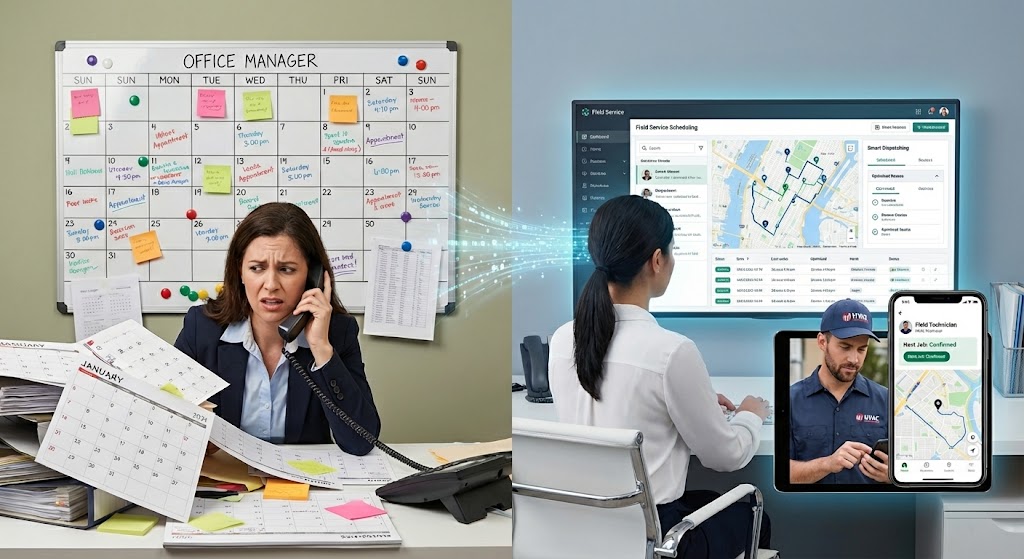
The Anatomy of an “Elite” Scheduling Workflow
To understand why professional software is non-negotiable in 2026, we have to look at the pillars of a modern service workflow. Transitioning to an automated system allows you to master these four areas:
1. Intelligent Dispatching (Beyond the Map)
Manual scheduling often relies on “whoever is available.” Modern software uses proximity-based logic.
- The Problem: Tech A finishes a job on the North side of town, but his next job is on the South side. Meanwhile, Tech B is already on the South side.
- The Solution: An intelligent system identifies the “travel gap” and suggests the most fuel-efficient route. For a small business, saving 20 minutes of drive time per tech, per day, can result in thousands of dollars in reclaimed labor costs every month.
2. The “Customer Paradox”: Communication vs. Time
Customers today demand “Uber-like” transparency. They want to know when the tech is coming, who is coming, and exactly when they arrive.
- The Manual Way: Your office manager spends 4 hours a day calling customers to confirm appointments.
- The Software Way: Automated SMS “On-the-Way” alerts with tracking links. This doesn’t just save you administrative time; it builds Trust (the ‘T’ in E-E-A-T). A customer who feels informed is 80% less likely to complain about a minor delay.
3. Real-Time Data Sovereignty
In the trades, information is often trapped in a technician’s head or on a crumpled piece of paper in a van. Professional scheduling software ensures that the “Job Record” is a living document. From the moment the lead calls to the final signature, every photo, note, and part used is timestamped and stored. This protects your Authority during disputes and ensures your Expertise is documented for future maintenance visits.
Why “Good Enough” Scheduling is Killing Your Profit Margins
I often talk to CEOs of small trade companies who say, “My Google Calendar works fine.” Here is why “fine” is a dangerous word for your bottom line:
| The “Manual” Cost | The “Software” Advantage |
| No-Shows: Customers forget and aren’t home. | Auto-Reminders: 90% reduction in missed windows. |
| Scope Creep: Techs do extra work but forget to bill it. | Mobile Invoicing: Techs log parts/labor in real-time. |
| Delayed Billing: Invoices sent days later. | Instant Payments: Get paid before the van leaves the driveway. |
| Lost History: No record of what was done last time. | Full CRM Audit: View every job ever done for that client. |
Strategic Considerations When Choosing a Platform
As you look for the best field service scheduling software for your specific small business, ignore the “flashy” marketing and focus on these three CEO-level requirements:
A. Scalability (The “Growing Pains” Test)
You might have two trucks today, but you want ten tomorrow. Your software must be able to handle “Multi-Resource Dispatching.” This means the ability to assign two techs to one job, or a specialized piece of equipment (like a trenching machine) to a specific time slot.
B. Offline Capability
Field service happens in basements, rural areas, and “dead zones.” If your software requires a 5G signal to function, your techs will stop using it. Look for a “native” mobile experience that syncs data once a connection is restored.
C. The “Office-to-Field” Bridge
The biggest failure in small business software is a disconnect between the person in the office and the person in the field. The best systems ensure that when an office admin moves a job on the “Drag-and-Drop” board, the technician gets a push notification instantly. No phone calls required.
The Role of AI in Field Service (The 2026 Landscape)
We are entering an era where software doesn’t just record your decisions—it optimizes them. At NinjaSuites, we focus heavily on how AI can assist the human dispatcher.
Imagine a system that looks at your next week of jobs and says: “If you move Mrs. Jones from Tuesday to Wednesday, you can save 40 miles of driving and fit in one extra emergency call.” This is the level of sophistication that turns a “small business” into a “market leader.” It moves you away from being a “reactive” business (putting out fires) to a “proactive” business (building wealth).
Conclusion: Stop Working for Your Schedule
A schedule should work for you, not the other way around. Choosing the best field service scheduling software for small businesses is about reclaiming your time so you can focus on high-level strategy—marketing, hiring, and expansion—rather than wondering where Truck #3 is at 2:00 PM.
By implementing a centralized, automated system, you aren’t just buying a tool; you are installing a professional infrastructure that signals to your customers that you are an elite provider.
Are you ready to see how a streamlined workflow can change your daily operations? [Explore NinjaSuites’ intelligent scheduling features here and take back your day.]